Miseria Steam Deck Performance
FPS caps, battery reality, and why Miseria’s relaxed mouse-only idle loop still fits handheld play.
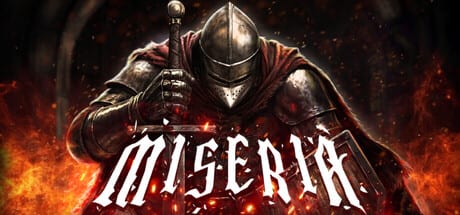
Miseria is a lightweight dark fantasy idle incremental on paper—and a CPU/FPS trap on handhelds if you leave frames uncapped. This page gathers Steam Deck performance habits, demo-era battery reports, official Windows store specs, and the genre truth that mouse-only, relaxed pacing is doing most of the accessibility work. Use it beside System Requirements for the PC checklist and the Miseria review for buy/skip taste.
Somnambulist Games ships a single-player Steam title with no multiplayer. Steam Cloud helps move a save between Deck and desktop, but it will not fix a thermal throttle caused by unlimited FPS while you AFK on a farm floor.
The uncapped FPS problem
Idle games often look “simple,” so players assume the GPU is asleep. If the frame rate is uncapped, many engines still render as fast as the hardware allows. On Steam Deck that can mean:
- Hot fans during a game that barely needs motion
- Rapid battery drain while you are not even touching controls
- CPU time stolen from background downloads or the desktop
Demo feedback called this out plainly: one Steam Deck session chewed through a huge share of battery in under an hour while the game felt oddly heavy for an incremental. That report matches the uncapped-FPS pattern more than “the abyss is secretly AAA.”
Fix first: set an FPS limit. On Deck, use the Quick Access performance overlay to cap frames (40 or 30 is plenty for auto combat). On Windows, use any in-game limiter if present, or platform/driver caps. You are watching numbers go up, not tracking a competitive shooter—smooth enough beats maximum FPS.
Battery reports from demo feedback
During the demo window, handheld players reported aggressive drain when leaving Miseria running. Treat those notes as directional, not lab benchmarks: brightness, Wi-Fi, TDP limits, and whether FPS was capped all swing results. Still, the actionable lesson is stable:
- Cap FPS before long AFK farms.
- Lower TDP if you only need the party to keep swinging.
- Dim the screen; you are not reading fine print in a soulslike.
- Prefer plugged sessions for overnight prestige plans.
After the May 2026 demo size cut (~2 GB → ~500 MB in the demo gameplay update), storage pressure eased. Runtime power is a separate axis—compression does not automatically fix uncapped rendering.
Official Windows specs (store baseline)
Steam lists Windows 10/11 64-bit requirements roughly as follows (confirm on the live store if your Deck is borderline via Proton/Windows dual-boot setups):
Minimum: Intel Core i5-8400 / AMD Ryzen 3 3100, 8 GB RAM, GTX 1050 Ti / RX 570 class, DirectX 12, ~900 MB storage on the full release listing.
Recommended: Intel Core i5-8600K / AMD Ryzen 5 2600X, 16 GB RAM, GTX 1060 / RX 580 class, DirectX 12, same storage class.
Full tables and idle-PC notes live on System Requirements. Deck APUs are a different architecture; use the store’s Deck compatibility badge as the handheld authority, and use FPS caps as your personal authority when the badge alone is not enough.
Mouse-only control and relaxed pacing
Miseria’s combat is automatic. You are not executing combos on a touchpad under stress. The meaningful inputs are town trips, forge clicks, stat allocation, floor choice, and Reborn timing—see How to Play and Getting Started. That mouse-only / low-APM design is why the game can feel natural on Deck with trackpads or a Bluetooth mouse even when battery math is fussy.
Relaxed pacing also means you can accept 30 FPS proudly. Nothing in the Church tree rewards 90 FPS. Dark Blessings reward depth and spend order—use the Reborn planner and How to Reborn for that layer, not the performance overlay.
Recommended Deck session template
- Launch → open Performance → set FPS limit (30–40) → optional TDP trim.
- Park on a farm floor your party already clears (Early Game Build habits).
- Tab back for gold and forge spends; do not leave unlimited frames spinning in your backpack.
- Before a Reborn, confirm blessings and Church nodes after a clean save.
- For long desktop sessions later, Cloud-sync and continue with the same Church plan.
When performance is not the real complaint
Some “Deck feels bad” notes are actually genre notes: Mixed Steam reception, prestige timing confusion, or wanting denser story. Hardware tweaks will not fix a pacing mismatch. Read the Miseria review for that split. If the executable is cool and capped but you are bored, that is a buy/taste question—not a fan curve.
Quick troubleshooting
- Hot and loud during AFK: FPS is probably uncapped—limit it.
- Battery evaporates in under an hour: lower FPS, brightness, and TDP; prefer charging for overnight.
- Stutter with many overlays: close heavy browser/GPU sharing on desktop docks.
- Save anxiety after prestige: verify Church tree; historical demo save fixes are documented under Dark Blessings hotfix.
Bottom line
Miseria on Steam Deck works best when you treat it like the idle game it is: cap FPS, accept relaxed pacing, and let auto combat do the clicking. Official Windows specs show a modest DirectX 12 PC target; demo battery reports show what happens when handhelds render without a governor. Set the limit, keep System Requirements bookmarked for docked PCs, and spend your attention on Church priorities—not fan noise.
Frequently Asked Questions
Quick answers to the most common questions.
Why does Miseria drain Steam Deck battery so fast?
Uncapped FPS can keep the APU rendering far harder than auto combat needs. Cap frames first, then trim brightness and TDP for long AFK farms.
What FPS limit should I use?
30 or 40 FPS is plenty for idle watching. Higher caps cost battery without helping Dark Blessings or forge timing.
Is Miseria mouse-only?
Combat is automatic and play is low-APM: you manage town, gear, stats, floors, and Reborn rather than real-time combos—comfortable for Deck trackpads or a mouse.
Where are the official Windows specs?
See the System Requirements page for minimum and recommended CPU, RAM, GPU, DirectX 12, and storage figures from the Steam listing.
Did the demo size reduction fix battery life?
No. The May 2026 compression cut download size (~2 GB to ~500 MB). Runtime power still depends on FPS caps and handheld settings.
Should I buy Miseria just because it runs on Deck?
Only if you like idle prestige loops. Read the Miseria Review for pacing and Mixed-score context after you confirm performance settings feel fine.